
Assignment
Booking number, status, customer, contacts, shipment, weight, description, pickup and destination addresses, and relevant times are brought together in one compact view.
The x25pronto Android App combines the driver portal, current assignment, Google Maps and music controls in one responsive driver cockpit.
On desktop, tablet and phone landscape, the driver cockpit uses a 2×2 grid with assignment, Google Maps, music and a reserved fourth tile. In phone portrait, swipe between the four tiles.
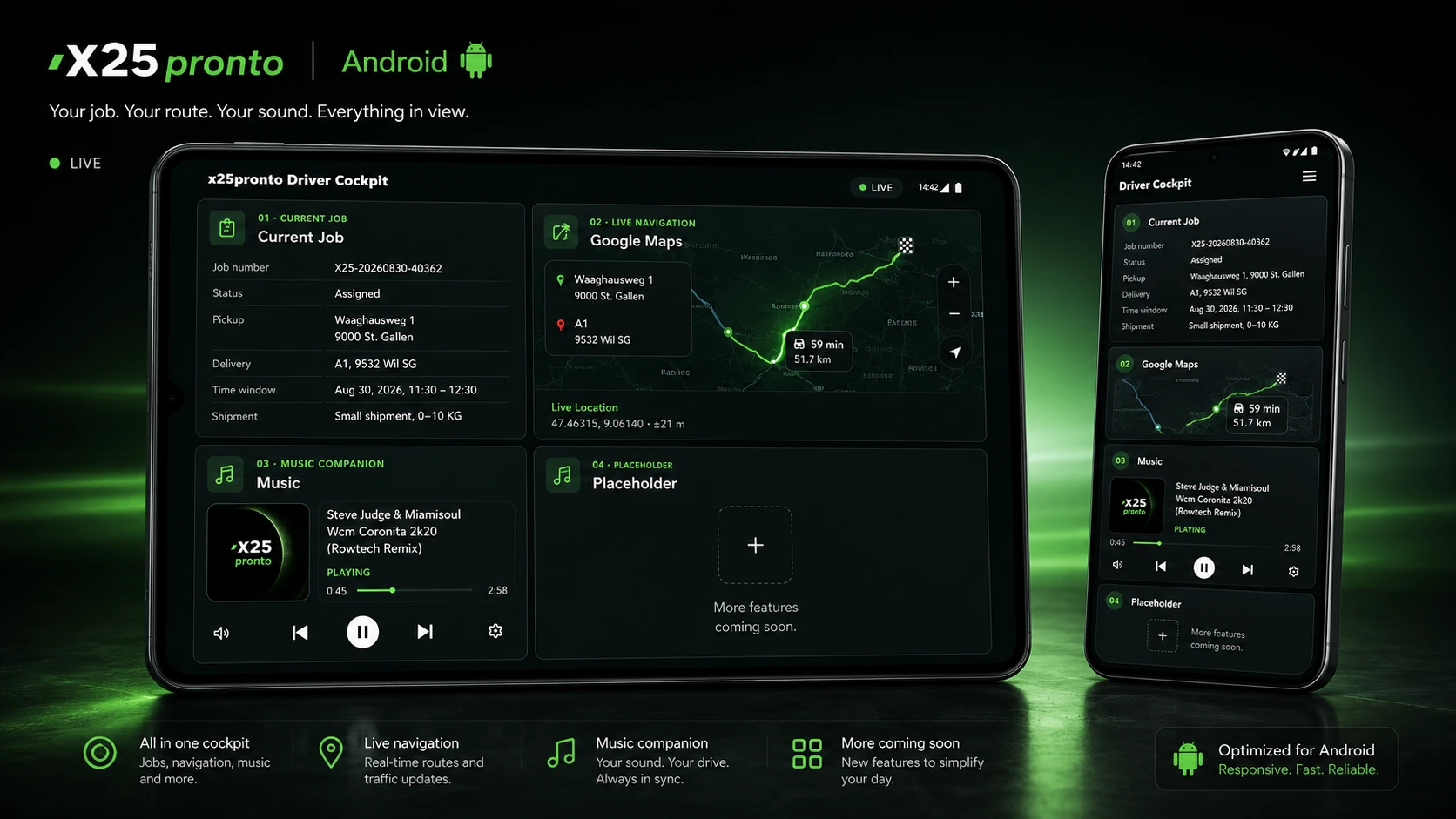
The cockpit uses the same assignment data for operational details and navigation. Music controls stay synchronised with the x25pronto player.
Booking number, status, customer, contacts, shipment, weight, description, pickup and destination addresses, and relevant times are brought together in one compact view.
Destination navigation is built directly from the current assignment. Once location access is allowed, the current position can be used for the route and Google Maps can be opened for navigation.
Previous track, playback and next track can be controlled directly from the cockpit. The full Music Player remains available separately.
The normal Music Player uses the official YouTube player. In native Android driving mode, playback switches to an approved first-party audio source stored for the track, so no moving YouTube picture is shown in the driver cockpit.
The app uses your normal x25pronto account and the same portal areas.
The “Current assignment” sub-tab opens the 2×2 driver cockpit, or the swipe view in portrait.
Personal bookings, documents and saved calculations remain directly available.
Desktop and landscape use a 2×2 grid. In phone portrait, the four cockpit tiles are controlled by swipe.
Signed-in navigation through tabs and sub-tabs is recorded by platform for internal admin analytics.
You need a free x25pronto account. The current Android download is provided to signed-in users inside the account.
Sign in with the same details as on x25pronto.ch and use the driver portal on the go.
Open Android App in accountAn Apple version has not been released yet. It will be offered separately when ready.
After signing in, you will find the Android app and all available portal areas in “My account”.